Particle Controller
How to Control
© 2025 by WebPublicity GmbH
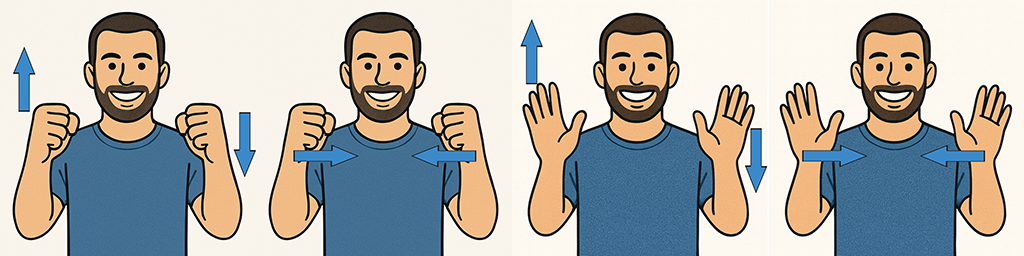
- Scale: Move your hands apart or closer together to resize the particle cloud.
- Rotate/Tilt: Raise one hand higher than the other to tilt and rotate the 3D object.
- Increase Tension: Clench both fists to make particles vibrate and speed up rotation.
- Morph Shapes: Click the UI buttons to switch to a new particle shape.
- Upload Models: Import any .glb or .gltf file to display your own model as a point cloud.
- Best Tracking: Keep your hands clearly visible and stay about 50–80 cm from the camera.